
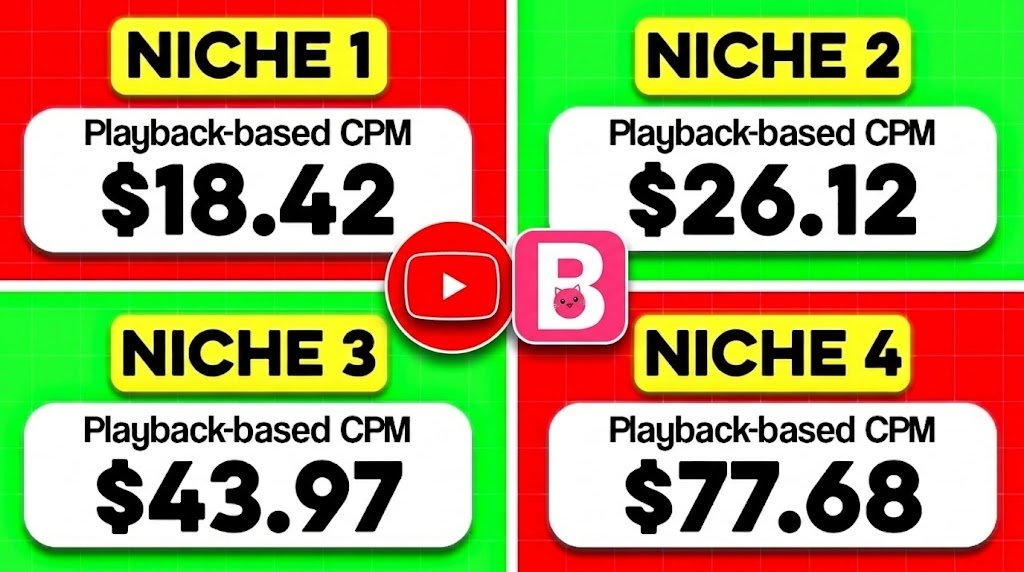
A YouTube CPM calculator by niche estimates your earnings by multiplying your views by a rate that matches your topic. The core formula is simple: estimated revenue equals views divided by 1,000, multiplied by your RPM. Finance channels often see much higher rates than gaming or entertainment channels, so the niche you choose changes the result more than almost any other factor.
This guide explains how CPM and RPM work, shows realistic ranges by niche, walks through a calculation step by step, and compares the most common estimation tools. The figures here are estimates based on commonly reported industry ranges. Your actual numbers will vary, and your own YouTube Studio analytics are always the most reliable source.
What Is a YouTube CPM Calculator by Niche?
A YouTube CPM calculator by niche is a tool or method that estimates how much money a channel can earn from ads, using a CPM rate typical for its content category. Instead of applying one flat rate to every channel, it recognizes that advertisers pay different amounts depending on who they want to reach.
CPM stands for cost per mille, which means cost per 1,000 ad impressions. It is what advertisers pay. A software company selling business tools will happily pay more to reach viewers watching an investing tutorial than a toy brand pays to reach viewers watching a gameplay clip.
A niche based calculator gives you three things:
- A rough monthly or yearly income estimate for planning
- A way to compare the earning potential of different topics
- A benchmark to check whether your current rates look normal
It does not give you exact figures. No outside calculator can see your real ad auction data, so treat every result as a range rather than a promise.
CPM vs RPM: The Difference That Changes Your Estimate
Most people searching for a YouTube RPM calculator or a CPM calculator actually want to know one thing: what will I be paid? That answer depends on RPM, not CPM.
CPM is the gross amount advertisers pay per 1,000 ad impressions. It is measured before YouTube takes its share and only counts views where an ad was actually shown.
RPM is revenue per mille. It is the amount you earn per 1,000 total video views after YouTube's share is removed. It can include ad revenue, channel memberships, Super Chat, Super Thanks, and YouTube Premium revenue.
Here is why RPM is almost always lower than CPM:
- Not every view shows an ad. Some viewers use ad blockers, some videos are viewed by Premium members, and some views come from regions with few advertisers.
- YouTube keeps a share of the revenue. For standard long form videos in the YouTube Partner Program, creators currently receive 55 percent of ad revenue. For Shorts, creators receive 45 percent of the revenue allocated to the creator pool.
For planning, always use RPM. If you only know a CPM figure, a practical shortcut is to expect your RPM to land at roughly 30 to 60 percent of it, depending on how many of your views are monetized.
The YouTube Revenue Calculator Formula
You do not need special software to estimate income. The formula is:
Estimated earnings = (Views ÷ 1,000) × RPM
You can also work backward. If you want to earn a target amount, divide it by your RPM and multiply by 1,000 to see how many views you need.
Example 1: Earnings estimate
A personal finance channel gets 200,000 views in a month and has an RPM of $12.
- 200,000 ÷ 1,000 = 200
- 200 × $12 = $2,400
Example 2: Views needed for a goal
A gaming channel with an RPM of $3 wants to earn $1,500 per month.
- $1,500 ÷ $3 = 500
- 500 × 1,000 = 500,000 views
The same income goal requires far more views in a low RPM niche. This is the main reason niche selection matters so much for creators who want to earn a living.
Two cautions apply. First, use a realistic RPM, not the best number you saw in a forum. Second, remember that YouTube income arrives through more than ads. Sponsorships, affiliate links, memberships, and your own products often earn more than AdSense for established channels.
YouTube CPM by Niche: Typical Ranges
The table below shows commonly reported estimated ranges for audiences in higher paying countries such as the United States, Canada, the United Kingdom, and Australia. Treat these as starting points, not guarantees.
| Niche | Estimated CPM range | Estimated RPM range |
|---|---|---|
| Finance, investing, insurance | $10 to $35 | $5 to $20 |
| Business, marketing, entrepreneurship | $8 to $25 | $4 to $15 |
| Software, AI tools, SaaS | $6 to $20 | $3 to $12 |
| Real estate | $6 to $18 | $3 to $10 |
| Education and online courses | $4 to $12 | $2 to $8 |
| Health, fitness, wellness | $4 to $12 | $2 to $7 |
| Technology and gadget reviews | $4 to $12 | $2 to $7 |
| Beauty, fashion, lifestyle | $3 to $9 | $1.50 to $5 |
| Food and cooking | $3 to $8 | $1.50 to $5 |
| Travel | $3 to $8 | $1.50 to $5 |
| Gaming | $2 to $6 | $1 to $3.50 |
| Entertainment, comedy, vlogs | $2 to $6 | $1 to $3.50 |
| Music and covers | $1 to $4 | $0.50 to $2.50 |
| Kids content | $1 to $5 | $0.50 to $3 |
Why do these gaps exist? Advertisers bid in an auction. Industries with high customer value, such as banking, insurance, and software subscriptions, can justify paying more per impression because a single customer may be worth hundreds or thousands of dollars. Industries with low value purchases or broad, younger audiences generally bid less.
If you want a quick YouTube money calculator by niche, pick the RPM range for your category, apply the formula from the previous section, and calculate both a low and a high result. That gives you a realistic range instead of a single misleading number.
What Affects Your CPM Beyond the Niche
Two channels in the same niche can have very different earnings. These factors explain most of the gap.
Audience location. Viewers in the United States, Western Europe, Australia, and similar markets usually generate higher rates than viewers in regions where fewer advertisers compete. A channel with 70 percent of its views from high paying countries will usually out earn a similar channel with a global mix.
Video length and ad placement. Videos longer than eight minutes can include mid roll ads, which means more ad opportunities per view. Longer videos do not automatically earn more, but they give you more room to monetize when viewers are engaged.
Viewer age and intent. Advertisers value viewers who are likely to buy. A tutorial about choosing a credit card attracts viewers with high purchase intent. Entertaining clips attract viewers who are mostly browsing.
Time of year. Advertising budgets rise sharply in the fourth quarter because of holiday shopping. Many creators see their highest rates in November and December, followed by a noticeable drop in January and February.
Ad suitability. Videos with language, topics, or imagery that advertisers consider sensitive may receive limited or no ads. Following YouTube's advertiser friendly content guidelines protects your earning potential.
Content format. Long form videos, Shorts, and live streams all have different revenue models. Shorts tend to produce much lower RPM per view than long form videos, but they can reach large audiences quickly.
How to Estimate YouTube Channel Earnings Step by Step
Follow this process to estimate YouTube channel earnings for your own channel or for a channel you are researching.
Step 1: Identify the niche. Choose the closest category from the table above. If your channel mixes topics, estimate each topic separately and combine the results.
Step 2: Find your monthly views. For your own channel, open YouTube Studio and check views over the last 28 days. For other channels, use the public view counts on recent videos.
Step 3: Choose an RPM range. Select a low, middle, and high RPM based on your niche and where your audience lives.
Step 4: Apply the formula. Multiply views divided by 1,000 by each RPM value to get three estimates.
Step 5: Add other income sources. Include sponsorships, affiliate commissions, memberships, and product sales if they apply. For many mid sized channels, these can equal or exceed ad income.
Step 6: Compare against your real data. If you own the channel, open the Revenue tab in YouTube Studio and compare your actual RPM with your estimate. Update your assumptions and use your real numbers going forward.
A useful tip: check RPM by individual video, not just channel wide. You will often find that a few videos on high value topics earn several times more per view than the rest of your catalog. That insight can guide what you publish next.
YouTube Money Calculator: vidIQ vs Bilipedia and Other Tools
Many creators search for a YouTube earnings calculator by channel name or a YouTube video revenue calculator by link. These tools exist, and they can be helpful for quick research, but they work differently from each other.
Most public earnings calculators follow the same basic approach. They pull public data such as subscriber counts, view counts, and upload frequency, then apply an assumed CPM or RPM range to produce an estimate. They cannot see private data such as your actual ad rates, audience countries, or non ad revenue.
Here is how to think about popular options:
- vidIQ offers analytics and research features for creators, including earnings estimates alongside keyword and competitor research. Its estimates are most useful as one input in a wider research workflow.
- Bilipedia and similar public statistics sites provide channel and video estimates based on public numbers. Compare their assumptions before relying on them, because different tools use different rate ranges and can produce very different results for the same channel.
- Other public calculators vary in quality and transparency. Prefer tools that clearly explain their method and show a range instead of one exact figure.
When comparing tools, ask three questions: Does the tool disclose how it estimates rates? Does it let you adjust the niche or RPM? Does it show a range? A tool that does all three is more trustworthy than one that gives a single dollar amount with no explanation.
Features and methods change over time, so check each tool's current description before relying on it. For your own channel, none of these outside tools can match the accuracy of YouTube Studio.
How to Increase Your YouTube CPM and RPM
You cannot control the advertiser auction, but you can influence the factors that shape it.
Choose topics with commercial value. Within any niche, some subtopics attract higher paying advertisers. A video comparing business software usually earns more than a general technology news video.
Build an audience in high value regions. Create content, use language, and cover topics that resonate with viewers in countries where advertisers pay more. Do this naturally, without excluding anyone.
Make longer videos when the content supports it. If a topic needs 10 to 15 minutes, use that time to serve viewers well and enable mid roll ads. Avoid padding. Viewers leave quickly when videos feel stretched, and retention matters for growth.
Keep content advertiser friendly. Review YouTube's guidelines and check the monetization icons next to your videos. If a video receives limited ads, you can often learn what triggered it and avoid the issue next time.
Improve viewer retention. Videos that hold attention get recommended more often, and more views at a decent RPM means more income.
Diversify your income. Add affiliate links where they genuinely help viewers, accept sponsorships that fit your audience, offer channel memberships, and consider your own products or services. Channels that rely only on ads are more exposed to seasonal and policy changes.
Publish consistently. A steady schedule helps you learn what your audience wants and gives YouTube more data to recommend your videos.
Requirements to Earn Money on YouTube
Before any calculator result becomes real income, you need to be accepted into the YouTube Partner Program. Requirements can change, so confirm the latest details on YouTube's official Help Center. At the time of writing, the main route to ad revenue sharing involves:
- At least 1,000 subscribers
- Either 4,000 public watch hours in the last 12 months or 10 million public Shorts views in the last 90 days
- Following YouTube's channel monetization policies
- Having 2 step verification turned on
- Linking an approved AdSense account to receive payments
YouTube also offers an earlier tier for smaller channels with access to some fan funding features, using lower thresholds. Check the current terms for your country, because availability differs by region.
Until you qualify, your estimated ad income is effectively zero, so use the waiting period to learn your niche, test topics, and build the audience that will make your future RPM worth calculating.
Common Mistakes When Using an Earnings Calculator
Treating CPM as income. CPM is what advertisers pay, not what you receive. Always convert to RPM before planning.
Using one number for every video. RPM changes by topic, season, and audience. Use ranges.
Ignoring the audience location. A channel with a global audience cannot assume United States rates.
Counting Shorts like long form views. Shorts views earn far less on average, so calculate them separately.
Copying another channel's income. A competitor's estimated earnings from a public tool may be well off from the truth. Use them for rough direction only.
Forgetting taxes and costs. Estimated revenue is not profit. Equipment, software, editing help, and income taxes all reduce what you keep. Consider speaking with a qualified accountant for your situation.
Final Thoughts
A YouTube CPM calculator by niche is a smart planning tool when you use it with the right expectations. Start with the formula, choose a realistic RPM range for your category, and treat the result as an estimate rather than a promise. Then replace assumptions with real numbers from YouTube Studio as your channel grows.
The strongest strategy is not chasing the highest CPM niche blindly. It is choosing a topic you can serve well for years, understanding what your audience is worth to advertisers, and building more than one income stream around it. Use the tables, formulas, and steps in this guide to plan with clarity, and revisit your numbers every few months as your channel evolves.
Frequently Asked Questions
How much is YouTube income per 1,000 views?
It depends on your niche, audience location, and ad activity. As a broad guide, many creators earn between $1 and $5 per 1,000 views in RPM terms, while finance, business, and software channels can earn $5 to $20 or more. Gaming, entertainment, and music channels often fall near the lower end. Your own YouTube Studio data shows your exact figure.
Is there a YouTube earnings calculator by channel name?
Yes. Several public tools let you enter a channel name and show an estimated income range based on public views and subscriber data. These estimates are approximate because the tools cannot see private data such as real ad rates or non ad revenue. Use them for research, not for exact income figures.
YouTube money calculator: vidIQ vs Bilipedia, which is better?
Neither tool can see your private revenue, so both are estimates. vidIQ combines earnings estimates with broader creator research features, while Bilipedia style statistics sites focus mainly on public channel and video numbers. The better choice is the one that explains its method, shows a range, and fits your workflow. Check both tools' current features before deciding.
What is a YouTube revenue calculator?
A YouTube revenue calculator estimates how much a channel or video earns by applying an assumed RPM or CPM to the number of views. Some also include subscriber counts, upload frequency, and niche adjustments. The basic math is views divided by 1,000, multiplied by the rate.
What is a YouTube RPM calculator?
A YouTube RPM calculator estimates your earnings per 1,000 views after YouTube's share and across all monetized sources. You can calculate your own RPM by dividing your total estimated revenue by your total views, then multiplying by 1,000. YouTube Studio shows this figure directly for your channel.
What is a YouTube calculator and what can it do?
A YouTube calculator is a general term for tools that estimate income, CPM, RPM, views needed, or growth. Typical uses include forecasting monthly earnings, comparing niches, and setting income goals. They are planning aids and should be paired with your real analytics.
How do I estimate YouTube channel earnings accurately?
Start with your niche RPM range, apply it to your monthly views, and calculate low, middle, and high scenarios. Then adjust for audience location, seasonality, and video length. If you own the channel, replace assumptions with real RPM data from YouTube Studio. Add sponsorships, affiliate income, and memberships for a complete picture.
Can I use a YouTube video revenue calculator by link?
Some public tools let you paste a video link and show an estimated earning based on its public view count. The result uses an assumed rate, so it may differ significantly from actual income. A video's real revenue depends on audience location, ad types, watch time, and viewer behavior, which only the channel owner can see.