Understanding Bilibili
Bilibili, also known as B站, is a Chinese video-sharing and community platform. It is especially popular for gaming, technology, education, animation, lifestyle, entertainment, tutorials, reviews, and knowledge-based content.
If your goal is to become a creator, you should think of Bilibili as more than a place to upload videos. It is a community where creators, known as UP主, build audiences around specific interests.
Before creating your account, decide what you want to create and who you want to reach. A clear direction from the beginning will make your future content much easier to plan.
Official website: Bilibili.com
Decide Your Creator Direction
Before registration, choose your basic creator direction.
Ask yourself three questions:
What will I create?
For example: AI, gaming, education, technology, business, travel, reviews, or entertainment.
Who is my audience?
Try to be specific. Instead of saying “everyone,” choose a group such as students, beginners, gamers, programmers, or technology enthusiasts.
What language will I use?
You can create content in Chinese, English, or another language, depending on your target audience.
A strong channel usually has a simple identity:
One audience + one main topic + a consistent style.
You can change and improve your direction later, but starting with a clear idea prevents your channel from becoming random.
Creating Your Bilibili Account
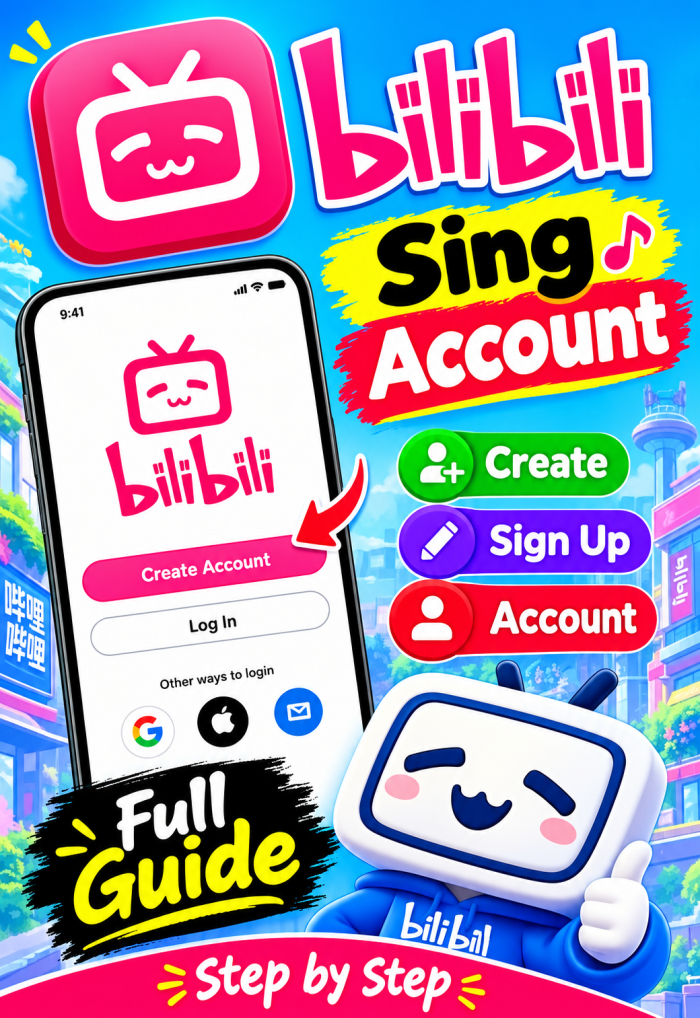
Visit the official Bilibili website or download the official Bilibili application.
Look for:
登录 / 注册
This means Login / Register.
Follow the available registration method, which may include phone-number verification or other supported options depending on your region and the current Bilibili system.
Use information that you can access and recover later. Avoid temporary phone numbers, fake information, or accounts purchased from other people.
Your creator account may eventually contain your videos, followers, business relationships, and earnings, so it should be treated as a long-term personal or business asset.
If registration does not work in your region, use Bilibili's official support channels rather than relying on unofficial registration services.
Secure Your Account
After registration, don't immediately start uploading videos. First secure your account.
Check your account and security settings for available options such as:
- Phone number
- Email or recovery information
- Password
- Login devices
- Security verification
Use a strong password that you don't reuse on other websites.
Never give your password or verification codes to another person claiming to be a Bilibili employee, agent, or monetization representative.
If your account becomes successful, recovering a hacked or lost account can be much more difficult than protecting it from the beginning.
Think of account security as the foundation of your creator business.
Create Your Public Profile
Your profile is the first impression people get when they discover you.
Set up these basic elements:
Username: Choose a short and memorable name.
Profile picture: Use a clear personal photo, logo, or recognizable brand image.
Bio: Explain what viewers can expect from your channel.
For example:
Practical AI tutorials, useful tools, and productivity tips for beginners.
Don't write a complicated biography. Your profile should communicate your purpose quickly.
Try to keep your username, profile picture, and content style consistent across your other social platforms if you plan to build a wider personal brand.
Understand Verification
Bilibili has different types of account and identity verification, and they should not be confused with one another.
One important term is:
实名认证
This means real-name verification.
Another is:
官方认证
which relates to official identity or creator authentication.
Not every new creator needs to obtain an official verification badge immediately. Some authentication and commercial functions have specific eligibility requirements.
If Bilibili asks you to complete identity verification, use the official Bilibili interface. Never send your passport, ID card, or other sensitive documents to unofficial websites or individuals.
Verification requirements can change, so always check the current official rules before applying.
Open the Creator Center
Once your account is ready, find:
创作中心
This means Creator Center.
This is the main area you will eventually use for content creation.
Depending on your account and eligibility, you may find functions related to:
- Video uploading
- Content management
- Analytics
- Comments
- Creator programs
- Revenue
- Commercial tools
Don't worry if your Creator Center doesn't contain every feature you see in screenshots or tutorials made for older accounts.
Bilibili regularly changes its interface and creator programs, and some features depend on account status, verification, location, or other requirements.
Your first goal is simply to become comfortable navigating the Creator Center.
Prepare Your Channel Before Uploading
Before your first video, prepare a basic content system.
Choose three to four content pillars.
For an AI channel, for example:
- AI tutorials
- AI tools
- AI productivity
- AI news and explanations
Then prepare at least 10 video ideas.
Ideally, have your first three videos planned or partly completed before publishing the first one.
This prevents a common beginner problem: uploading one video and then having no idea what to make next.
Your channel should feel connected. Viewers who enjoy one video should have a good reason to watch another.
Prepare Your First Upload
For your first video, focus on usefulness rather than perfection.
Prepare:
Title: Make the benefit clear.
Cover: Use one strong image and a simple message.
Video: Prioritize clear audio, good lighting, and understandable editing.
Description: Briefly explain what the viewer will learn or see.
Tags/category: Choose information that accurately represents the video.
A simple video structure is:
Hook → Main content → Examples → Conclusion
Avoid spending weeks making your first video perfect. Your first several uploads are experiments that teach you what your audience responds to.
Your Final Account Setup Checklist
Before you begin serious content creation, make sure the following is ready:
- Account created through an official Bilibili channel
- Phone/recovery method connected
- Strong password configured
- Username selected
- Profile picture uploaded
- Bio completed
- Niche selected
- Target audience identified
- Content language decided
- Three to four content pillars prepared
- Creator Center located
- Verification requirements understood
- Ten video ideas prepared
- First three videos planned
- Copyright checked before using outside material
The most important thing is not having a perfect profile. It is having a clear identity and a repeatable content system.
Start simple, publish consistently, study your analytics, listen to your audience, and improve with every video.
Your account is only the beginning. The real Bilibili journey starts when you learn how to create content that people genuinely want to watch.
Take the whole guide with you
Read it offline or print it — same content as the page above.